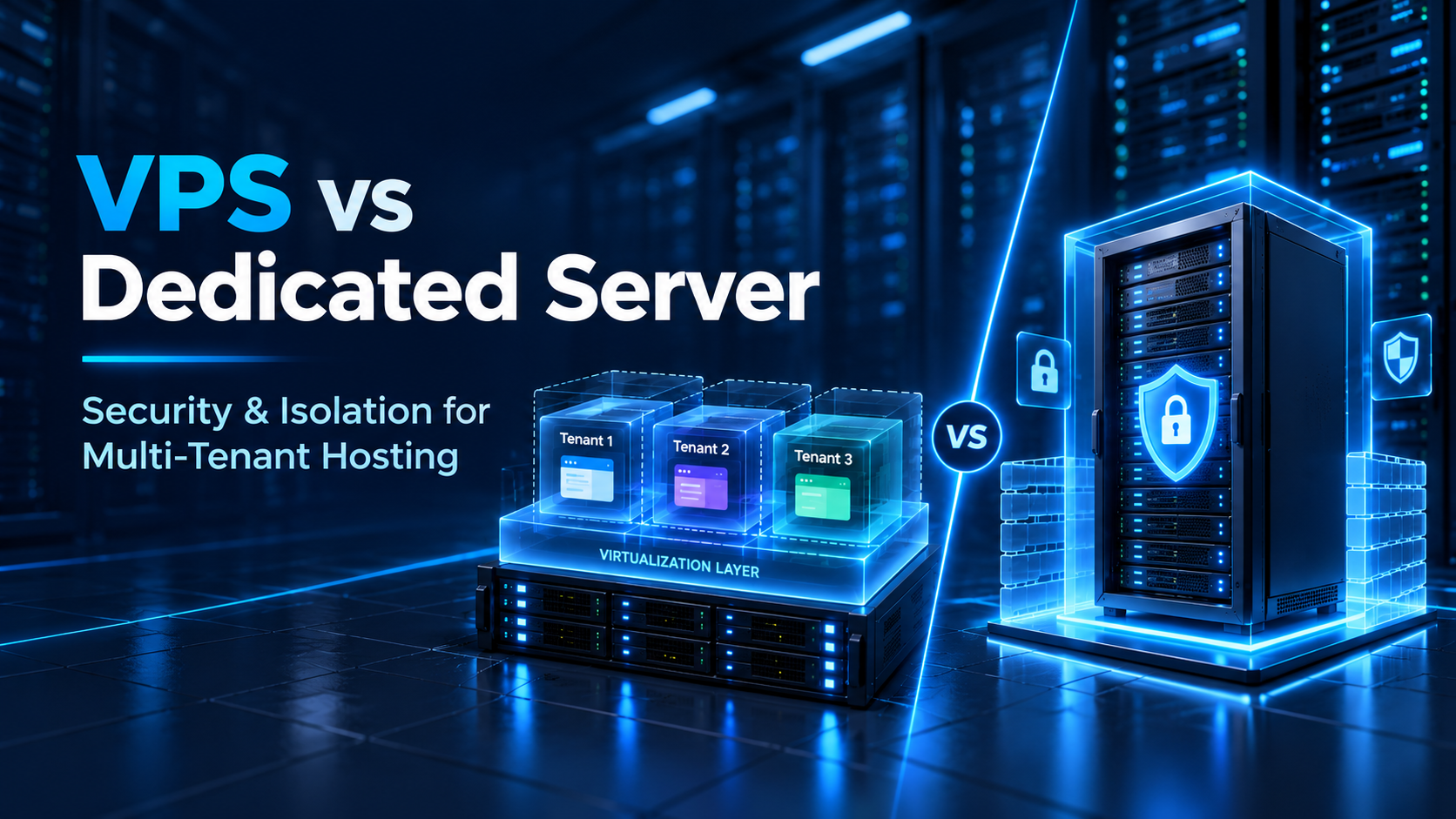
Showing posts with label VPS vs Dedicated Server. Show all posts

Monday, 12 October 2026

The Real Story Behind This: VPS vs Dedicated Server for Multi-Tenant Agency Hosting: Security & Isolation Pros and Cons

Managing hosting for multiple agency clients presents an architectural trade-off between operating costs and risk containment. When hosting multiple client websites, an agency's core technical priority is strict boundary isolation. A single compromised plugin or sudden traffic spike on one site must never compromise neighboring client properties on the same machine.

Agencies commonly choose between a Virtual Private Server (VPS) or a dedicated bare-metal server. While both support multi-tenant workloads, they handle hardware isolation, resource contention, and blast radiuses differently. Deciding between them requires understanding where physical isolation ends and operating system segmentation begins.

Direct Architecture Takeaways for Digital Agencies

  • Hardware vs. Internal Isolation: A dedicated server removes public noisy neighbors and shared hypervisors, but client-to-client separation still requires OS-level permissions, containers, or virtualization.
  • Failure Blast Radius: Stacking dozens of client sites on a single monolithic server concentrates risk. If that machine crashes, all hosted clients go down together.
  • Compliance Reality: Dedicated servers do not generate automated regulatory compliance. Frameworks like HIPAA and PCI DSS require an end-to-end control suite across encryption, access, logging, and audits.

The Real-Estate Analogy: Commercial Floor vs. Private Office Building

To visualize the operational boundary between VPS and dedicated hosting, consider commercial office real estate:

Deploying a VPS is like leasing a secured floor inside a corporate office tower. You have a private keycard, and other tenants cannot enter your floor. However, you still share the building's central elevators, water lines, and electrical grid. If the tower's infrastructure undergoes maintenance, your leased floor is impacted.

Deploying a Dedicated Server is like buying an entire standalone building. You control perimeter gates and own 100% of the utilities—no external tenant shares your property. However, inside the building, you cannot leave internal rooms open. You must still install locked doors and access control badges to keep individual client suites private.

Security and Isolation Realities: Evaluating the Trade-Offs

Cybersecurity shield protecting multi-tenant client workloads

Figure 1: Boundary isolation and container compartmentalization safeguarding multi-tenant client sites.

1. Cross-Site Contamination and OS-Level Sandboxing

A common misconception is that dedicated hardware automatically prevents cross-site infection. Hardware does not parse application code. If an agency hosts multiple sites under a single web user without sandboxing, a compromised PHP script on one site can inspect directories, databases, and config files across all neighboring accounts.

Achieving true client-to-client isolation on either VPS or dedicated hardware requires deliberate OS-level mechanisms. Tools like CloudLinux with CageFS, Docker containers, systemd namespaces, or dedicated unprivileged Linux users jail each account in its own virtual root filesystem. These guardrails stop lateral malware traversal when an individual website suffers an exploit.

2. Resource Contention and Variable Sizing Realities

Server capacity cannot be calculated using static site counts like "16 GB RAM holds 30 websites." Real capacity depends on CPU cycles, concurrent PHP-FPM workers, database query volume, Redis cache hits, background cron jobs, and plugins. An illustrative example: a single busy WooCommerce store can saturate 16 GB of RAM, whereas thirty cached brochure sites might use under 3 GB.

When running multiple tenants on a VPS, resource limits set via cgroups prevent a single noisy tenant from monopolizing server memory. On a dedicated server, agencies gain deeper hardware buffers and NVMe throughput, allowing heavier workloads to process without hitting CPU throttles.

Technical context: Review how teams evaluate VPS vs dedicated server infrastructure when scaling production web applications.

3. IP Reputation and Email Deliverability Architecture

If one hosted tenant's contact form is compromised by spambots, mail-filtering systems blacklist the server's outbound IP address. While binding individual dedicated IP addresses to client accounts helps separate network reputation, IP allocation alone does not resolve deliverability.

Deliverability depends on DNS records (SPF, DKIM, DMARC), reverse DNS (PTR), and clean IP reputation. For multi-tenant agencies, best practice decouples outbound email entirely from hosting, routing client transactional mail through specialized relays like Postmark or SendGrid.

4. Regulatory Compliance Realities (HIPAA, PCI DSS, GDPR)

Hardware isolation is frequently linked to compliance, but dedicated servers alone do not guarantee compliant environments. Frameworks like HIPAA, PCI DSS, and GDPR assess an organization's complete administrative and technical control set.

While dedicated hardware simplifies audit scoping by eliminating shared hypervisors, full compliance requires data encryption at rest and in transit, strict access control, centralized logging, regular patching, vendor agreements (such as HIPAA BAAs), and independent audits.

Multi-Tenant Architecture Comparison Matrix

Dimension Multi-Tenant VPS Model Dedicated Bare-Metal Model
Physical Isolation Shared physical chassis; isolated by hypervisor. 100% single-tenant hardware; zero external sharing.
Client-to-Client Isolation Requires OS containers, CageFS, or separate users. Still requires internal OS jails or internal VMs.
Resource Predictability Virtual cores subject to hypervisor scheduling. Full hardware consistency and exclusive NVMe bandwidth.
Failure Blast Radius Limited to tenant partition; easy to split across VPSs. Larger blast radius if all clients share one machine.
Scaling Flexibility Instant vertical resizing of RAM and CPU in dashboard. Requires manual hardware upgrades or cluster nodes.
Operational Complexity Low to moderate; hypervisor maintenance handled. Higher; hardware monitoring and RAID setup needed.
Security Responsibility Shared model; host secures hypervisor and physical tier. Agency manages OS kernel, firmware, and firewalls.
Cost Profile Granular pay-as-you-grow pricing. Higher fixed monthly base investment.
Multi-tenant datacenter infrastructure layout

Figure 2: Isolated multi-tenant server infrastructure segmented across partitioned application clusters.

What a Dedicated Server Does Not Automatically Fix

Deploying dedicated bare-metal hardware does not replace application-layer security hygiene. Physical infrastructure will not protect your agency from:

  • Vulnerable Plugins and Themes: Unpatched software remains vulnerable regardless of underlying hardware.
  • Weak File and Directory Permissions: Permissive 777 permissions allow cross-directory script execution.
  • Reused Admin Passwords: Brute-force attacks succeed when clients use common credentials without MFA.
  • Insecure PHP Configurations: Leaving execution functions like exec() enabled invites shell execution.
  • Missing Off-Server Backups: Local hardware snapshots offer zero recovery if local disks get corrupted.
  • Unmonitored Traffic: Without active log monitoring, malicious crawlers go undetected for weeks.

Recommended Multi-Tenant Agency Hosting Architecture

A production-ready agency deployment strategy separates client workloads based on business criticality and resource volatility:

Brochure and Standard CMS Sites

Consolidate lightweight corporate websites onto managed VPS nodes running CloudLinux or containerized accounts. Edge caching handles static delivery efficiently.

High-Traffic and WooCommerce Workloads

Isolate busy e-commerce stores onto independent VPS instances or dedicated machines. Dynamic cart queries require unconstrained PHP workers and NVMe IOPS.

Enterprise and Regulated Workloads

Deploy clients requiring strict compliance on dedicated bare metal. Combine physical isolation with automated off-site backups, Web Application Firewalls (WAF), and SIEM audit logging.

Frequently Asked Questions (FAQs)

Q1: Does a dedicated server automatically isolate hosted websites from each other? ▼
No. A dedicated server isolates your infrastructure from external public tenants, but websites sharing the machine can still read each other's data unless restricted by OS-level permissions, separate Linux user accounts, CageFS virtual roots, or internal containers.
Q2: How should agencies calculate website capacity per server node? ▼
Capacity cannot be determined by static site counts. Agencies must benchmark dynamic PHP worker memory usage, database read/write queries, traffic peaks, and cache hit ratios. Sizing should be driven by peak traffic benchmarks rather than baseline averages.
Q3: Does dedicated server hosting guarantee HIPAA or PCI compliance? ▼
No. Dedicated hardware eliminates shared hypervisor scoping, but compliance requires full technical controls including data encryption, access logging, multi-factor authentication, perimeter firewalls, and formal business associate agreements.

Architectural Decision Framework: VPS vs. Dedicated Server

When engineering multi-tenant hosting environments, align server selections with workload profiles:

  • Choose a VPS Model When: Managing early-stage client rosters, brochure websites, or applications requiring elastic scaling where operating budgets demand lean resource allocation.
  • Choose a Dedicated Server Model When: Running massive database workloads, maintaining predictable sustained traffic, or servicing high-value enterprise accounts where shared hypervisor risks must be eliminated.
  • Deploy a Hybrid Model When: Running an established agency. Host standard clients on partitioned VPS nodes while reserving dedicated machines for revenue-critical stores and compliance-bound accounts.

Wednesday, 2 September 2026

Dedicated Server vs VPS Cost Comparison

Hosting Guide 2025

Dedicated Server vs VPS Cost Comparison: Understanding Value, Performance, and ROI

A comprehensive guide to help you choose the right hosting infrastructure for your business.

Choosing the right hosting solution is an important decision for businesses, developers, and website owners. While VPS hosting provides a balance of performance and affordability, dedicated servers offer complete hardware resources and higher performance capabilities.

Many businesses compare VPS and dedicated server pricing when their websites, applications, or online platforms start growing. However, the decision should not be based only on the monthly cost. Understanding resource value, performance benefits, and long-term return on investment helps determine which solution provides better value.

A VPS may be the right choice for websites with moderate resource requirements, while a dedicated server can become a better investment for businesses that need consistent performance, complete control, and higher scalability.

VPS Hosting

Understanding VPS Hosting Costs

A Virtual Private Server (VPS) provides dedicated virtual resources within a physical server environment. It uses virtualization technology to divide a physical server into multiple isolated environments.

VPS hosting is generally more affordable because the hardware infrastructure is shared among multiple users while each VPS receives allocated resources.

The cost of VPS hosting usually depends on:

  • CPU and RAM allocation
  • Storage capacity
  • Bandwidth availability
  • Managed or unmanaged services
  • Additional security features

For startups, developers, and small businesses, VPS hosting can provide a cost-effective solution with better performance compared to shared hosting.

However, as websites and applications grow, VPS resources may become limited, requiring businesses to evaluate whether upgrading to dedicated hardware provides better value.

Dedicated Server

Understanding Dedicated Server Costs

A dedicated server provides exclusive access to an entire physical server. Unlike VPS hosting, where hardware resources are divided between multiple virtual environments, dedicated servers provide complete access to CPU, RAM, storage, and network resources.

Dedicated server costs are generally higher because businesses are paying for:

  • Exclusive hardware resources
  • Higher processing capacity
  • Greater customization options
  • Improved performance consistency
  • Advanced infrastructure control

Although the initial investment is higher, dedicated servers can provide better long-term value for resource-intensive applications and high-traffic websites.


Dedicated Server Hardware
Comparison

VPS vs Dedicated Server: Cost Comparison

The biggest difference between VPS and dedicated server pricing comes from how resources are allocated.

A VPS provides a flexible hosting environment at a lower cost, making it suitable for growing websites and applications that do not require maximum hardware power.

A dedicated server costs more but provides complete hardware access, making it suitable for businesses that need predictable performance and greater control.

Feature VPS Hosting Dedicated Server
Resource Allocation Virtual dedicated resources Full physical hardware
Cost Lower initial investment Higher investment
Performance Suitable for moderate workloads Designed for demanding workloads
Scalability Flexible upgrades High hardware scalability
Control Good server management flexibility Complete infrastructure control

The right option depends on business requirements rather than price alone.

Value Analysis

Is Dedicated Hardware Worth the Premium?

The higher cost of dedicated hardware can be justified when performance directly impacts business operations.

For example, businesses running eCommerce stores, SaaS platforms, large databases, or high-traffic websites may experience better value from dedicated servers because improved performance can support growth and customer experience.

Dedicated servers provide benefits such as:

⚡ Faster processing performance
📦 Better resource availability
🛡️ Improved reliability
⚙️ Greater customization options
📊 Stronger workload management

For businesses where downtime or slow performance affects revenue, the additional investment can provide measurable benefits.

ROI Focus

Performance Per Dollar: Evaluating Hosting Value

Cost alone does not always determine the best hosting choice. Businesses should evaluate how much performance they receive for their investment.

A low-cost VPS may appear attractive initially, but frequent upgrades, performance limitations, or resource restrictions can increase long-term expenses.

A dedicated server may have a higher upfront cost but can provide better performance efficiency for demanding workloads.

When comparing hosting value, consider:

  • Required processing power
  • Expected traffic growth
  • Application requirements
  • Performance expectations
  • Future scalability needs

A solution that supports business growth efficiently often provides better overall value.

Long-Term Value

Server Infrastructure ROI and Long-Term Benefits

Server infrastructure ROI refers to the value a business receives from its hosting investment over time.

A suitable hosting environment can improve:

🌐 Website performance
😊 Customer experience
✅ Application reliability
⚙️ Operational efficiency
📈 Business scalability

For businesses with increasing resource demands, investing in dedicated hardware may reduce performance issues and provide a stronger foundation for future expansion.

Optimization

Hosting Cost Optimization: Choosing the Right Solution

Hosting cost optimization does not always mean selecting the cheapest option. It means choosing infrastructure that provides the right balance between cost, performance, and scalability.

✅ A VPS may be the better choice when:

  • Resource requirements are moderate
  • Budget flexibility is limited
  • Applications are still growing
  • Advanced hardware is not required

🚀 A dedicated server may be the better choice when:

  • Websites receive high traffic
  • Applications require significant resources
  • Performance consistency is important
  • Complete server control is needed

Choosing the right hosting environment helps avoid unnecessary expenses while maintaining reliable performance.

VPS Use Cases

When Should You Choose VPS Over Dedicated Server?

VPS hosting is suitable for:

  • Small to medium websites
  • Development environments
  • Business websites
  • Growing online platforms
  • Applications with moderate resource needs

It provides flexibility and performance without the higher investment associated with dedicated hardware.

Dedicated Use Cases

When Should You Choose a Dedicated Server?

Dedicated servers are ideal for:

  • High-traffic websites
  • Large eCommerce platforms
  • Enterprise applications
  • Resource-intensive software
  • Businesses requiring maximum control

When performance, reliability, and scalability become priorities, dedicated infrastructure can provide significant advantages.

Final Thoughts

The choice between VPS and dedicated server hosting depends on your business goals, performance requirements, and future growth plans.

VPS hosting offers an affordable and flexible solution for many websites and applications, while dedicated servers provide premium performance, complete control, and greater resource availability.

Instead of focusing only on the initial price, businesses should evaluate long-term value, infrastructure ROI, and performance needs. The right hosting investment is the one that supports growth while maintaining reliability and efficiency.

Featured Post

  The demand to have strong, stable and high-performance server solutions has never been higher in the ever-changing digital space. Enterpri...