Wednesday, 28 October 2026

Why Modern Web Agencies Choose CyberPanel for High-Volume WordPress Hosting


Managing multiple WordPress websites can become expensive for growing web agencies. As the number of clients increases, hosting costs, control panel licensing fees, and server maintenance responsibilities also grow. Agencies need a hosting solution that allows them to manage client websites efficiently while keeping operating expenses under control. This is why many agencies are considering CyberPanel for web agency hosting as an alternative to traditional cPanel-based hosting.

CyberPanel is a web hosting control panel that supports Open Lite Speed and provides tools for managing websites, databases, email accounts, SSL certificates, and server settings. Its free OpenLiteSpeed-based edition allows agencies to manage multiple WordPress websites without the per-account licensing charges associated with certain commercial hosting platforms. For web development companies in the Philippines and other growing digital markets, CyberPanel VPS hosting can be a practical option for building recurring hosting services.


Why Web Agencies Are Moving Beyond Traditional cPanel Hosting

Traditional shared hosting and cPanel reseller plans are convenient when an agency manages only a few client websites. As the business expands, account-based licensing fees, hosting package restrictions, and limited server resources can increase operating costs. Agencies managing dozens of WordPress installations may find that their existing hosting arrangements no longer match their technical or financial requirements.

CyberPanel provides an alternative by allowing agencies to operate their own hosting environment on a Virtual Private Server. Instead of depending entirely on shared hosting infrastructure, agencies can configure server resources, create separate websites, manage domains, and control hosting settings through one dashboard. Although VPS hosting still involves infrastructure and maintenance expenses, eliminating certain recurring control panel licensing charges may help reduce overall costs.


Managing Multiple WordPress Websites with CyberPanel

One of the main advantages of agency WordPress hosting on CyberPanel VPS is centralized website administration. Agencies can manage multiple domains, databases, website files, and SSL certificates without switching between different hosting accounts. This becomes especially useful for web design studios handling several client projects simultaneously.

CyberPanel also includes WordPress installation tools that simplify the process of launching new websites. Developers can create hosting environments, configure website settings, and prepare projects for clients from the same control panel. Website packages and user permissions help organize hosting resources, although agencies must configure access controls carefully to maintain appropriate separation between clients.

For agencies offering monthly website maintenance services, centralized administration can reduce repetitive work. WordPress updates, security monitoring, backup verification, and troubleshooting still require attention, but having hosting management tools in one place makes day-to-day operations easier to organize.


How OpenLiteSpeed Improves WordPress Hosting Performance

Website performance plays an important role in client satisfaction, particularly for businesses operating online stores, corporate websites, and content-heavy WordPress platforms. CyberPanel supports OpenLiteSpeed, a web server designed to process web requests efficiently.

When combined with the LiteSpeed Cache plugin for WordPress, OpenLiteSpeed can provide server-level page caching that reduces repeated PHP processing and database requests. Proper caching may improve response times and help websites handle higher traffic levels without requiring immediate server upgrades.

Performance improvements depend on website configuration, plugins, available server resources, and caching settings. Agencies should test individual websites rather than assuming every WordPress installation will experience identical speed improvements.


How CyberPanel Can Reduce Agency Hosting Costs

Hosting expenses directly influence the profitability of agencies offering website maintenance and hosting packages. Traditional reseller hosting arrangements may include recurring control panel licensing costs, account limitations, or charges for additional resources.

CyberPanel's free edition removes certain software licensing expenses, allowing agencies to allocate more of their budget toward VPS resources, backups, monitoring, and technical support.

For example, an agency managing 30 WordPress websites and charging each client ₱1,000 per month would generate ₱30,000 in monthly hosting and maintenance revenue. Actual profit would depend on VPS expenses, backup storage, staff time, security services, and customer support requirements.

The financial benefit of CyberPanel comes from controlling these costs rather than expecting guaranteed profit margins. Agencies should compare their existing hosting expenses with the total cost of operating and maintaining a CyberPanel VPS.


Building Recurring Revenue Through Agency VPS Hosting

Many web agencies depend heavily on one-time website design and development projects. Offering WordPress hosting and ongoing maintenance services creates an opportunity to generate recurring monthly revenue from existing clients.

An agency can provide hosting packages that include website administration, SSL certificate management, backups, software updates, performance monitoring, and technical assistance. CyberPanel supports the hosting management side of these services, while the agency remains responsible for maintenance and customer support.

This model can be particularly useful for Philippine web design firms serving small businesses, online retailers, and professional service providers. Instead of transferring every completed website to an external hosting provider, agencies can maintain an ongoing service relationship with clients while managing their hosting infrastructure.


Choosing the Right VPS for CyberPanel Hosting

The performance of a CyberPanel hosting environment depends heavily on the VPS configuration. CPU capacity, RAM, SSD or NVMe storage, and network connectivity influence how many WordPress websites a server can support effectively.

Agencies managing lightweight business websites may need fewer resources than those hosting WooCommerce stores or applications with frequent database activity. Server capacity should be planned according to actual workload requirements rather than simply counting the number of hosted websites.

Businesses evaluating infrastructure options can explore OnliveServer VPS hosting plans to compare available server configurations for WordPress and CyberPanel deployments.

Agencies should also consider backup storage, server monitoring, firewall configuration, and recovery procedures before migrating important client websites. Hosting many clients on a single VPS without proper backup and recovery planning creates unnecessary operational risk.


Installing and Configuring CyberPanel on a VPS

Setting up CyberPanel begins with selecting a compatible Linux operating system and preparing a VPS with sufficient resources. After installation, administrators need to configure website domains, databases, SSL certificates, security settings, and the OpenLiteSpeed environment.

Agencies unfamiliar with the installation process can follow OnliveServer's complete guide on how to install and configure CyberPanel on your VPS server.

Before migrating active client websites, agencies should test WordPress compatibility, caching behavior, database connections, email delivery, and backup restoration. Staging environments should also be planned carefully, since staging capabilities and workflows can vary depending on the installed tools and configuration.


CyberPanel vs cPanel: Which Is Better for Web Agencies?

Both CyberPanel and cPanel can support professional website hosting, but they serve somewhat different operational needs. CyberPanel is attractive to agencies that want an based environment, lower control panel licensing expenses, and greater control over their VPS configuration.

cPanel offers an established hosting ecosystem, familiar account management features, reseller tools, and commercial support options. Agencies already using cPanel-based workflows may prefer to continue with that platform if its features justify the licensing expenses.

CyberPanel may be a suitable choice for technically experienced agencies comfortable managing Linux servers. Agencies without server administration expertise should account for the time and cost of security updates, troubleshooting, monitoring, and infrastructure maintenance before switching.


Conclusion

CyberPanel provides web agencies with a practical way to manage multiple WordPress websites while maintaining greater control over hosting infrastructure and recurring software expenses. Its integration with OpenLiteSpeed, centralized website management tools, and free licensing option make it worth considering for agencies building their own VPS hosting environments.

For Philippine web development firms looking to expand recurring hosting revenue, CyberPanel can support a business model built around WordPress hosting, maintenance, and ongoing client services. The best results come from selecting appropriate VPS resources, maintaining reliable backups, monitoring server performance, and pricing hosting packages according to actual operating costs.


Curious About Active Directory and MS SQL on VPS? Why Windows VPS is the Only Choice

When businesses centralize employee identities, workstations, and enterprise databases, hosting requirements change fundamentally. Administrators must manage strict security policies and mission-critical data pipelines.

In enterprise IT, two Microsoft software pillars dominate corporate infrastructure: Active Directory Domain Services (AD DS) and Microsoft SQL Server (MS SQL). If you are researching virtual private servers to deploy these critical enterprise services, you might ask: Can you host them on a low-cost Linux machine, or is a dedicated Windows VPS truly the only sensible choice?

While open-source communities offer experimental workarounds, enterprise production reality paints a decisive picture. In this architectural guide, we explain why a Windows VPS is the indispensable foundation for Active Directory and enterprise MS SQL Server, how both technologies interlock, and the exact hardware specifications required for a stable deployment.

📌 Direct Answer: Can You Host Active Directory & MS SQL on Anything Other Than Windows VPS?

  • For Active Directory: A Windows VPS is mandatory. Native Active Directory Domain Services, Group Policy Objects (GPO), Kerberos Key Distribution Centers, and DNS domain zones require the native Windows Server kernel. Open-source emulators like Samba 4 lack full enterprise GPO fidelity and break under modern Windows client updates.
  • For Enterprise MS SQL Server: While the basic database engine runs on Linux, critical business tooling—including SQL Server Reporting Services (SSRS), Integration Services (SSIS), Analysis Services (SSAS), and seamless Windows Authentication SSO—strictly requires Windows Server.
  • The Bottom Line: Running these enterprise workloads on a Windows VPS guarantees vendor support, native security patching via Windows Update, and flawless compatibility with corporate client machines.

A Simple Analogy: Corporate Smart Badges and the Central Bank Vault

To understand why Active Directory and MS SQL Server depend so deeply on a Windows Server environment, picture a high-security corporate headquarters:

Active Directory functions like the central security desk and smart badge issuing system. When a new employee joins your company, the security desk issues them a cryptographic keycard. That badge determines which office doors they can unlock, which computers they can log into, and what time of day they are permitted inside the building. If an employee leaves, revoking their badge in the security desk instantly locks them out of every door in the building.

MS SQL Server is the heavy steel vault located in the center of the building holding your company's most sensitive transactional records, customer financial statements, and inventory databases. Rather than maintaining its own separate lock and key combinations, the vault is hardwired directly to the building's smart badge scanner. When an authorized finance manager swipes their corporate badge, the vault recognizes their credentials through seamless Windows Single Sign-On (SSO) and unlocks the specific safe deposit box they are authorized to audit.

Attempting to run this corporate ecosystem on a non-Windows server is like trying to install a proprietary Microsoft biometric access scanner on a wooden shed without electricity. You might splice some wires together with third-party adapters, but the security alerts will fail, employee badges will randomly de-synchronize, and any security audit will promptly fail.

Why Active Directory Demands a Windows VPS: Technical Realities

Active Directory Domain Services (AD DS) is the central nervous system of Microsoft enterprise networks. Hosting an Active Directory Domain Controller on a VPS strictly requires Windows Server for two reasons:

1. Group Policy Objects (GPO) and Centralized Management

Active Directory's core value lies in Group Policy Objects (GPOs). Administrators use GPOs to enforce desktop security, configure firewalls, push software, and mandate BitLocker encryption across remote laptops. GPOs rely on proprietary Windows extensions and SYSVOL replication protocols that only a native Windows Server Domain Controller can execute.

2. Native Kerberos Authentication and Integrated DNS

Active Directory relies on a tight relationship between Microsoft DNS and Kerberos authentication. Domain controllers automatically manage dynamic SRV records for authentication and resource discovery. Linux alternatives like Samba 4 mimic basic LDAP queries, but lack full schema compatibility, cannot support modern functional levels, and frequently break after Microsoft security updates.

Enterprise identity and directory access architecture visual on Windows server

Figure 1: Hierarchical identity tree and access delegation architecture managed via Windows Domain Controller.

Microsoft SQL Server: The Power of Native Windows Integration

Although Microsoft ported the core SQL Server engine to Linux in 2017, enterprise architects deploy production MS SQL workloads on Windows VPS environments for crucial architectural reasons.

1. Full BI Stack: SSRS, SSIS, and SSAS

Enterprise data workflows require more than table storage. Organizations depend on SQL Server Reporting Services (SSRS) for reporting, SQL Server Integration Services (SSIS) for ETL pipelines, and Analysis Services (SSAS) for business analytics. None of these companion tools run on Linux. If your ERP or accounting software requires SSRS or SSIS, a Windows VPS is mandatory.

2. Native Kerberos Single Sign-On (Windows Authentication)

In a domain-joined Windows environment, database users do not maintain separate database passwords. Employees authenticate through Kerberos Single Sign-On (SSO) using their Windows accounts, enabling instant access revocation, role-based permissions, and strict audit compliance without credential sprawl.

Foundational context: For developers building web applications alongside database systems, explore our guide on Windows VPS vs Linux VPS to balance licensing expenditures against runtime speed.

High performance relational database storage engine visual with memory bus conduits

Figure 2: Relational database transactional engine and high-throughput buffer pool architecture on NVMe storage.

Configuration Blueprint: Windows VPS Architecture for AD & MS SQL

Deploying Active Directory and MS SQL Server on cloud VPS infrastructure requires thoughtful resource provisioning. The configuration matrix below details practical deployment architectures based on organization scale.

Deployment Tier Recommended VPS Specifications Target Workload & Architecture
Branch Office DC 2 vCPUs, 4 GB to 6 GB RAM, 80 GB NVMe Storage. Domain Controller (AD DS), DNS Server, and central GPO for up to 75 users.
Entry SQL Instance 4 vCPUs, 8 GB to 16 GB RAM, 160 GB NVMe Storage. Domain-joined database server for departmental CRM, accounting, and internal tools.
Combined Enterprise 8 vCPUs, 32 GB RAM, 500 GB NVMe, Private LAN. Multi-tier setup: Primary DC VM + Dedicated MS SQL VM on private LAN.
High Availability (HA) Dual 4-8 vCPU instances across redundant zones. Replicated Domain Controllers and SQL Server Always On Availability Groups.

Best Practices for Hosting Active Directory & MS SQL on VPS

To avoid common performance degradation and security vulnerabilities when hosting Windows enterprise infrastructure in the cloud, implement these foundational architectural guidelines:

1. Never Install SQL Server Directly on a Domain Controller

Installing SQL Server on a Domain Controller VM seems economical, but Microsoft strongly advises against it. Domain controllers lack local security accounts, and heavy SQL query loads can starve authentication services, causing network-wide login delays.

2. Isolate Management Ports Behind VPN

Exposing Active Directory ports (LDAP 389, Kerberos 88, SMB 445) or MS SQL port 1433 to the public internet invites brute-force attacks. Always isolate your Windows VPS behind an encrypted site-to-site IPsec or WireGuard VPN tunnel.

3. Leverage Volume Shadow Copy (VSS) for Application Backups

Active Directory and SQL Server hold active transactional state in memory. Taking raw disk snapshots without application awareness risks corrupting ntds.dit or SQL transaction logs. Always ensure your VPS backup tool uses Volume Shadow Copy Service (VSS) integration.

Frequently Asked Questions (FAQ)

Q1: Can Linux Samba 4 completely replace a Windows Server Domain Controller? ▼
While Samba 4 can emulate basic Active Directory domain services and handle simple LDAP logins, it cannot fully replace Windows Server in enterprise environments. Samba lacks native support for advanced Group Policy extensions, modern Windows functional levels, and automated Microsoft schema updates, making it fragile for business-critical client fleets.
Q2: What is the minimum recommended RAM for a Windows VPS running Active Directory? ▼
For a dedicated Active Directory Domain Controller serving up to 100 users, 4 GB of RAM and 2 vCPUs is the practical minimum. This provides comfortable headroom for the Windows Server operating system, directory database caching in memory, and background DNS resolution queries.
Q3: Can I run SQL Server Express on a Windows VPS without paying database license fees? ▼
Yes. Microsoft SQL Server Express is 100% free to deploy for commercial applications on a Windows VPS. While limited to 1 GB of RAM utilization per instance and a 10 GB maximum database file size, it is ideal for small business accounting tools, departmental utilities, and internal management portals.
Q4: Why does SQL Server perform better when coupled with Active Directory? ▼
Active Directory integration streamlines database authentication by leveraging native Kerberos tokens rather than transmitting application-level SQL credentials. Furthermore, it enables Service Principal Names (SPNs) and automated delegated credentials, making multi-tier enterprise applications faster and significantly more secure.
Q5: How do I handle disaster recovery for Active Directory on cloud VPS? ▼
The gold standard for Active Directory disaster recovery is deploying a second Windows VPS as an additional Domain Controller in a secondary datacenter location. Active Directory handles multi-master replication natively, ensuring zero authentication downtime if your primary virtual machine experiences maintenance or network disruption.

Summary: Building an Unshakeable Enterprise Foundation

While modern open-source operating systems excel at web servers, microservices, and container clusters, the corporate back-office remains firmly anchored in the Microsoft ecosystem. Active Directory provides unparalleled identity control, and Microsoft SQL Server delivers deep relational database maturity.

Attempting to bypass Windows licensing surcharges by deploying directory emulators introduces administrative friction, broken security policies, and unbudgeted troubleshooting downtime. By investing in a high-performance Windows VPS with fast NVMe storage and dedicated resources, your business secures full vendor compatibility, seamless Single Sign-On, and an enterprise infrastructure built for long-term scalability.

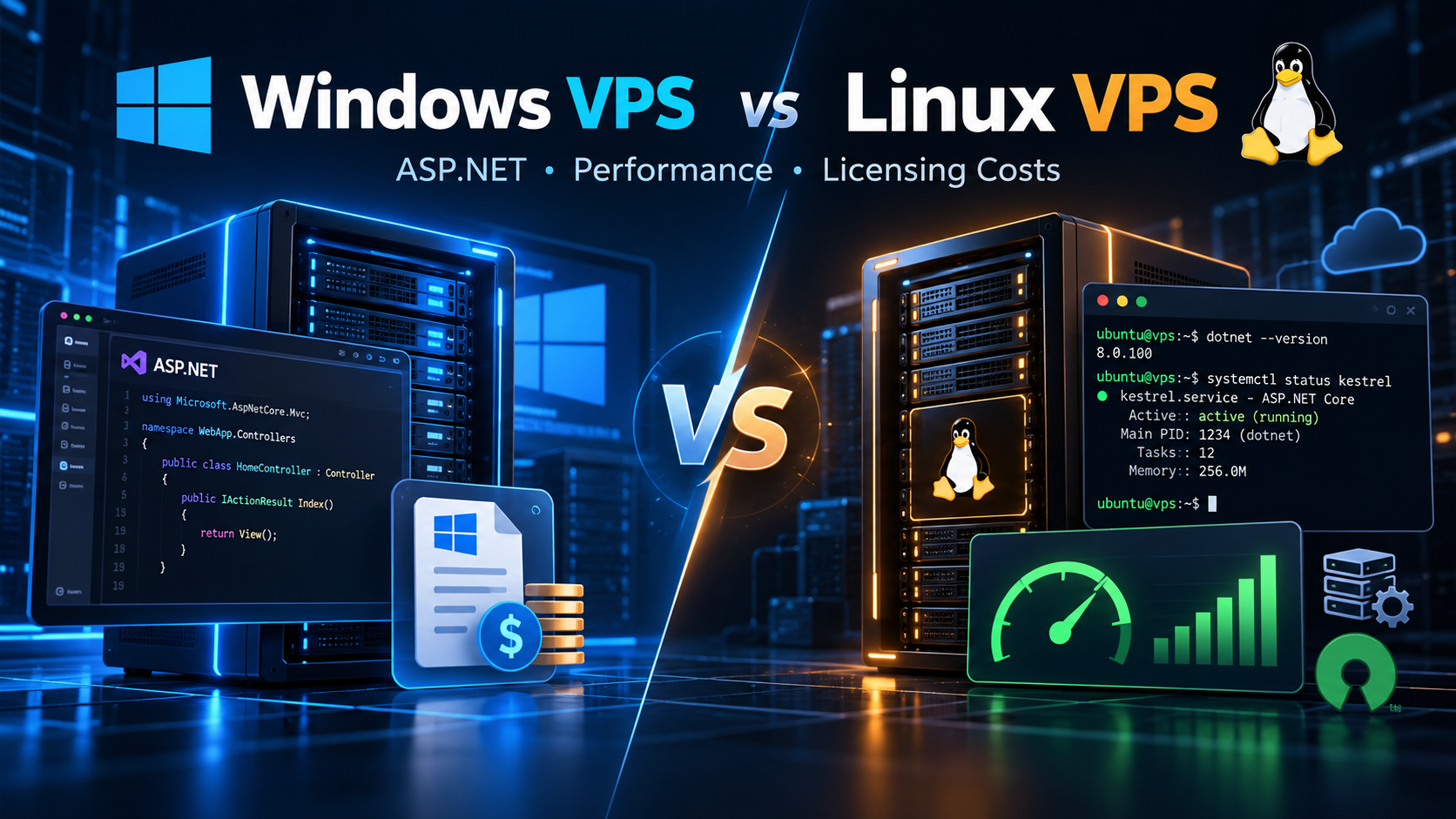
What You Need to Know About Windows VPS vs Linux VPS for ASP.NET Development: Performance & Licensing Costs

When deploying an ASP.NET application, choosing the right server operating system is a foundational architectural decision. For years, the default expectation across IT was simple: because ASP.NET is a Microsoft technology, hosting it on Windows Server with Internet Information Services (IIS) was considered the only natural path.

Today, that dynamic has changed. With Microsoft's re-engineering into cross-platform .NET (from .NET Core to modern .NET 6, 7, 8, and 9), developers can run ASP.NET workloads natively on Linux. Today, engineering teams face an important question: Should you choose a Windows VPS or a Linux VPS for your ASP.NET hosting?

The best choice depends on your codebase version, required libraries, sysadmin skills, and budget. In this guide, we break down real-world performance benchmarks, RAM usage, licensing fees, and deployment workflows to help you make an informed decision.

📌 Direct Answer: Which VPS Environment Should You Choose?

  • Choose Linux VPS When: You build modern ASP.NET Core apps (.NET 6/7/8/9), deploy via Docker, pair with PostgreSQL or MySQL, or want to eliminate monthly Windows licensing fees while freeing up idle RAM.
  • Choose Windows VPS When: Your software relies on legacy .NET Framework (version 4.8 or older), requires Remote Desktop (RDP) GUI management, integrates with Active Directory, or depends on IIS modules.
  • The Performance Reality: For modern .NET Core, Linux VPS environments regularly match or outperform Windows environments thanks to lower kernel overhead and Kestrel's asynchronous epoll socket handling.

A Simple Analogy: Furnished Penthouse vs. Efficient Industrial Workshop

To understand the difference without complex jargon, compare both environments to leasing commercial real estate:

A Windows VPS is like leasing a furnished executive penthouse. Everything is pre-installed: leather seating, climate control, wall touchscreens, and a staffed front desk. It feels familiar and intuitive. However, you pay a substantial monthly amenities fee for that luxury furniture, and heating and lighting consume power continuously, even when meeting rooms sit empty.

A Linux VPS is like renting an industrial design workshop. You enter with a digital keycard (SSH) and receive a clean concrete floor, raw electrical lines, and open space. You install only the exact benches and tools your project needs. Because zero administrative clutter runs in the background, your utility footprint is minimal, and the landlord charges zero decorative amenities tax. Every resource goes directly into powering your application.

The Core Dividing Line: Legacy .NET Framework vs. Modern Cross-Platform .NET

Before comparing performance or hosting bills, you must understand the decisive architectural divide in the Microsoft ecosystem: legacy .NET Framework versus modern cross-platform .NET.

1. Legacy .NET Framework (Versions 1.0 to 4.8.1)

Traditional .NET Framework was tightly coupled to Windows. Technologies like ASP.NET Web Forms, WCF, and System.Web relied on native Win32 APIs, the Windows Registry, and IIS. If your codebase depends on these legacy components, it cannot run on Linux. For these applications, a Windows VPS is an absolute requirement.

2. Modern Cross-Platform .NET (.NET Core & .NET 6/7/8/9)

To support modern cloud microservices, Microsoft rebuilt the runtime into cross-platform .NET. This modular framework removes Windows OS dependencies and introduces Kestrel, an ultra-fast asynchronous web server. Modern .NET runs natively across Ubuntu, Debian, AlmaLinux, and Windows with identical execution, giving you complete hosting freedom.

Dual enterprise server racks comparing Windows Server and Linux VPS hosting stacks visual

Figure 1: Side-by-side server infrastructure architectures comparing Windows Server and Linux enterprise hosting stacks.

Comparison Matrix: Windows VPS vs. Linux VPS for ASP.NET

Feature Windows VPS Hosting Linux VPS Hosting
OS Licensing Monthly SPLA fee ($15–$40/mo surcharge based on vCPU count). 100% Free open-source (Ubuntu, Debian, AlmaLinux). Zero fees.
Idle RAM Usage High. Uses 1.8 GB to 2.5 GB RAM at idle for desktop GUI. Minimal. Uses only 200 MB to 450 MB RAM at idle.
Web Server Internet Information Services (IIS) or in-process Kestrel via IIS. Kestrel standalone or reverse-proxied behind Nginx or Apache.
.NET Support Universal: runs legacy .NET Framework and modern .NET. Modern .NET only (.NET Core 1.0+ and .NET 5/6/7/8/9).
Remote Access Graphical Remote Desktop (RDP) and IIS Management Console. Fast Secure Shell (SSH), bash scripting, and automation tools.
Containers & DevOps Windows Server containers. Base images are large (several GB). Native Docker ecosystem. Lightweight Alpine images under 100 MB.
Database Pairing Microsoft SQL Server with native Windows authentication. PostgreSQL, MySQL, MariaDB, SQLite, or containerized MS SQL.
Minimum Spec 2–4 vCPUs and 4 GB to 8 GB RAM for stable operations. Runs lightweight APIs smoothly on 1–2 vCPUs and 1 GB to 2 GB RAM.

Licensing Economics: How OS Choice Impacts Hosting Budgets

For startup founders and agencies managing multiple client projects, recurring infrastructure costs accumulate quickly over time. Understanding server licensing structures helps you project long-term financial commitments accurately.

Deploying a Windows VPS incurs Microsoft Service Provider Licensing Agreement (SPLA) fees, adding a monthly surcharge of $15 to $40 to your hosting bill. Furthermore, adding commercial Microsoft SQL Server Standard escalates licensing into hundreds of dollars per core annually. Over a multi-server setup, Windows licensing can add thousands of dollars in operating overhead.

With a Linux VPS, operating system licensing is completely free. Running enterprise-grade Ubuntu or Debian with open-source PostgreSQL or MySQL eliminates software licensing fees entirely. This allows you to reallocate your hosting budget toward higher CPU clock speeds, additional memory, and redundant NVMe storage.

Strategic context: Explore our detailed guide on Windows VPS vs Linux VPS for ASP.NET development to learn how modern teams optimize infrastructure budgets and performance.

High-speed motherboard processor microchip analyzing CPU and memory performance throughput visual

Figure 2: Hardware-level CPU and memory bus throughput visualization demonstrating low-overhead request execution.

Performance & Resource Efficiency: Benchmarking the Runtime

When benchmarking Windows and Linux for .NET hosting, two technical factors dominate outcomes: idle memory usage and socket multiplexing efficiency.

Windows Server runs background telemetry, graphical subsystems, and desktop managers, consuming 1.8 GB to 2.5 GB of RAM at idle. On a 4 GB VPS, half your memory is taken before processing your first request. In contrast, headless Ubuntu boots using merely 200 MB to 450 MB of RAM, leaving over 3.5 GB free for application logic and caching.

In TechEmpower benchmarks, modern ASP.NET Core ranks among the fastest web frameworks worldwide. On Linux, Kestrel leverages native epoll system calls for non-blocking socket handling with minimal context switching. On Windows, Kestrel runs via IOCP; however, reverse-proxying through full IIS adds worker process management layers that consume slightly more CPU cycles under heavy concurrent load.

Operational Workflows: Administration, Tooling, and DevOps

Daily developer productivity depends heavily on administration tooling and deployment pipelines.

Windows VPS provides intuitive GUI administration via Remote Desktop (RDP). Developers can inspect IIS application pools and view system events visually, eliminating a steep command-line learning curve for Windows-centric teams.

Linux VPS administration relies on SSH terminal access. While command-line workflows require initial familiarization, they excel at automation, scriptable deployments, and Git-tracked configuration. Linux is also the natural home of Docker: Alpine-based .NET container images often measure under 100 MB, deploying in seconds across CI/CD pipelines.

Frequently Asked Questions (FAQ)

Q1: Can every version of ASP.NET run on a Linux VPS? ▼
No. Only modern cross-platform .NET (.NET Core and .NET 5 to 9) runs on Linux. Legacy .NET Framework applications (4.8.1 or older) rely on proprietary Windows libraries like System.Web and IIS, strictly requiring a Windows VPS.
Q2: Do I need a Microsoft SQL Server license to run ASP.NET on Linux? ▼
No. Modern ASP.NET Core connects natively to PostgreSQL, MySQL, and SQLite via Entity Framework Core. If your workload requires Microsoft SQL Server, Microsoft offers containerized editions that run directly on Linux, including the free Express tier.
Q3: How much money do you save hosting ASP.NET on Linux instead of Windows? ▼
Hosting on Linux saves $15 to $40 per month by eliminating Windows Server licensing fees. Furthermore, because Linux uses only 200–450 MB of idle RAM compared to 2 GB on Windows, you can host on smaller, cheaper VPS hardware tiers.
Q4: Is it difficult for a C# developer using Visual Studio to deploy to Linux? ▼
Not at all. You write and test code in Visual Studio or VS Code on Windows as usual. When ready, you publish a self-contained Linux binary or Docker container with one command, running seamlessly on Linux without code rewrites.
Q5: When is a Windows VPS clearly the better hosting choice? ▼
A Windows VPS is the right choice when maintaining legacy .NET Framework applications, integrating with Active Directory domain services, using SQL Server Reporting Services (SSRS), or when your team prefers graphical Remote Desktop management over terminal commands.

Final Decision Guide: How to Choose the Right Server Today

Consider your application architecture, internal skills, and infrastructure budget:

  • Choose a Linux VPS When: You are launching new applications with modern ASP.NET Core (.NET 6/7/8/9), developing microservices or REST APIs, adopting Docker container workflows, pairing with PostgreSQL or MySQL, or seeking to maximize your hardware budget by avoiding operating system licensing fees.
  • Choose a Windows VPS When: You must maintain legacy .NET Framework 4.x codebases, rely on Active Directory authentication, need IIS-specific features, or prefer managing your server visually through Remote Desktop without terminal administration.
  • The Modern Industry Standard: For the vast majority of new ASP.NET Core applications developed today, deploying on a Linux VPS provides the winning combination of high execution speed, low memory overhead, and zero licensing expense.

Both operating systems offer enterprise-level reliability. The right decision simply matches your application framework version, operational comfort, and budget priorities.

Ditching Public SaaS: Why Growing Businesses Are Migrating from Google Drive to Self-Hosted Nextcloud on VPS

Tuesday, 27 October 2026

Emergency Rollback Protocol: Step-by-Step Disaster Recovery Checklist When a Live VPS Migration Fails


From an unaffected client or monitoring host, distinguish DNS errors from TLS, upstream, web-server and database failures. A 502 Bad Gateway may be an unhealthy upstream rather than a broken DNS change; a 503 may reflect maintenance or capacity controls.

dig +short A example.com @1.1.1.1

dig +short A example.com @8.8.8.8

curl -Ik --connect-timeout 5 https://example.com/

curl -Ik --resolve example.com:443:NEW_VPS_IP https://example.com/

curl -Ik --resolve example.com:443:OLD_VPS_IP https://example.com/

Replace example.com and the IP placeholders. The --resolve option routes that specific curl request to an IP while retaining the hostname for HTTP/TLS; it does not change public DNS. Check expected content and certificate validity, not just HTTP status.

2. Protect data before changing where users write

Record the last known consistent replication position, backup/snapshot ID, and write ownership. On e-commerce or logged-in sites, orders, payments, queued jobs, sessions, uploads, and background writes matter as much as database tables. Preserve logs and snapshots from both machines. Following a detailed migrate website to VPS guide can help administrators plan data transfers, verify database consistency, and reduce the risk of losing critical information during server migration.

Never simply “unlock the old database” while requests may still write to the new database. Doing so creates two writable copies (split-brain). First fence the failed side from accepting writes, confirm replication or reconcile any transactions already received there, and only then designate the old database as the sole writer. If exact reconciliation is not yet possible, favor maintenance mode over accepting conflicting transactions.

For MySQL, read_only and super_read_only are controls to understand, not a universal incident toggle. Privileges, topology, application database users and managed-host restrictions differ. Use the documented failover procedure for your replication design. Analyze binary logs/GTIDs before replay; blind replay can duplicate or corrupt transactions.

3. Revert production routing carefully

If you use a load balancer or reverse proxy, switching its origin to a verified healthy host may be more predictable than waiting for recursive DNS caches. If your cutover changed an A/AAAA record, change those records back to the old VPS IP in the authoritative DNS zone; do not alter the nameservers unless the migration actually changed DNS delegation.

dig +short NS example.com

dig +short A example.com @AUTHORITATIVE_NS

dig +short AAAA example.com @AUTHORITATIVE_NS

dig +short A example.com @1.1.1.1

A DNS revert does not instantly purge cached answers in all recursive resolvers, client devices or active connections. Keep the new VPS safe for residual traffic: proxy it to the selected writer, serve maintenance responses, or preserve a consistent read-only state as your architecture allows. Review CDN proxy settings and AAAA records too.

4. Bring the origin VPS back into service

After verifying data currency and single-writer ownership, check the origin web service, application workers, TLS, disk space and dependencies. On systemd-based Ubuntu/Debian installations, these checks are typical:

sudo systemctl status nginx --no-pager

sudo nginx -t

sudo systemctl status apache2 --no-pager

sudo apachectl configtest

sudo journalctl -u nginx -n 80 --no-pager

sudo journalctl -u apache2 -n 80 --no-pager

sudo tail -n 80 /var/log/nginx/error.log

Use the commands for the web server actually installed; paths and units vary. Reload a valid configuration with sudo systemctl reload nginx (or apache2). Restart only if indicated by a confirmed failure and after accounting for active sessions; avoid blanket service restarts during an unresolved database incident.

5. Decide between rollback and forward-fix

Choose rollback when…

Choose forward-fix when…

Old host is healthy, data is current, and one-writer fencing is proven

New host has a narrow, reversible web configuration or service issue

Critical checkout/login flows fail and old path is recoverable

Returning would discard unreplicated writes or uploads

Recovery procedure has been tested and owners approve

Data reconciliation makes a quick revert more hazardous

6. Validate the recovered production path

·         Check authoritative and multiple recursive DNS answers, while expecting temporary differences.

·         Test home page, authenticated login, checkout/write operation (with an approved test account), API routes, scheduled jobs and emails.

·         Verify the active writer and database replication health. Compare recent order IDs, timestamps, uploads and queue offsets from both sides.

·         Confirm SSL certificate, application logs, 5xx rate, CPU/memory, disk capacity and alerts.

·         Notify stakeholders of the actual restored state; continue monitoring through DNS cache decay.

7. Preserve evidence and document the incident


Record the cutover timestamp, first symptoms, abort decision, DNS changes with timestamps, database fencing/reconciliation, service changes, health-check results, and data-loss assessment. Keep snapshots and logs until the investigation is complete. For WooCommerce stores, review WooCommerce sessions and cart data to understand how customer sessions are stored and assess whether active shopping carts were affected during migration. A blameless post-incident review should produce specific changes to the next migration plan, including a tested rollback drill and pre-cutover acceptance criteria.

Featured Post

  The demand to have strong, stable and high-performance server solutions has never been higher in the ever-changing digital space. Enterpri...